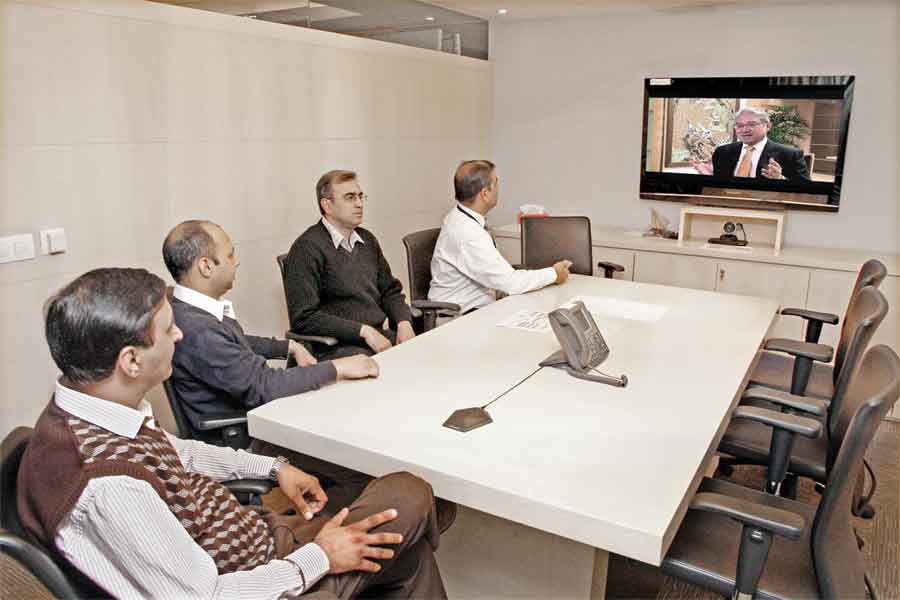
The urgency to tighten the supply chains and to link the geographically distributed work teams more frequently at a much lesser cost and with not much loss of time is through video conferencing. It is now an integral part of the efficient solution for many in the industry with higher impact than phone conversations or emails, and also at times a reliable replacement of the sensory satisfaction of sight or touch, observes Team StitchWorld.
In an industry like apparel exports, the time to market is critical and of utmost importance, as it now works on 10 to 12 collections a year from 4 collections earlier, which has reduced the cycle time between the design and manufacturing to delivery. Here video conferencing can help to reduce time to market by 24 per cent, facilitating every stage in product development. The use of video conferencing helps to accurately assess the drape, colour, the stitch quality and the overall look of a garment prior to production, which often entails the inefficient, lumbering practice of shipping swatches and prototypes back and forth via overseas courier. Now with the use of HD video conferencing, samples can be shown and approved over a cup of tea, sitting in respective offices. Even fit approvals can now be done via video with the help of exact size replicas or ‘forms’, and the buyer just has to check the fit on a video using different angles.
There are several types of video conferencing systems to choose from. In order of increasing costs, they are: Software-only desktop clients, Hardware-assisted PC clients, Integrated USB desktop units, and Stand-alone set top units; and for those organizations that can invest, there are also Integrated room-based systems.
There is immense scope for the use of video conferencing on the shop floor, in monitoring the quality process and manufacturing. High definition video conferencing can be used for shop floor surveillance and can close the gap between a clothing manufacturer and its remote production lines by enabling decision-makers to oversee workers and evaluate products as they are sewn. In any manufacturing industry, video conferencing on the shop floor can be used for technical support. An engineer can be connected over video from the shop floor to a subject matter expert at another location to fix the equipment and reduce the downtime by 27 per cent.
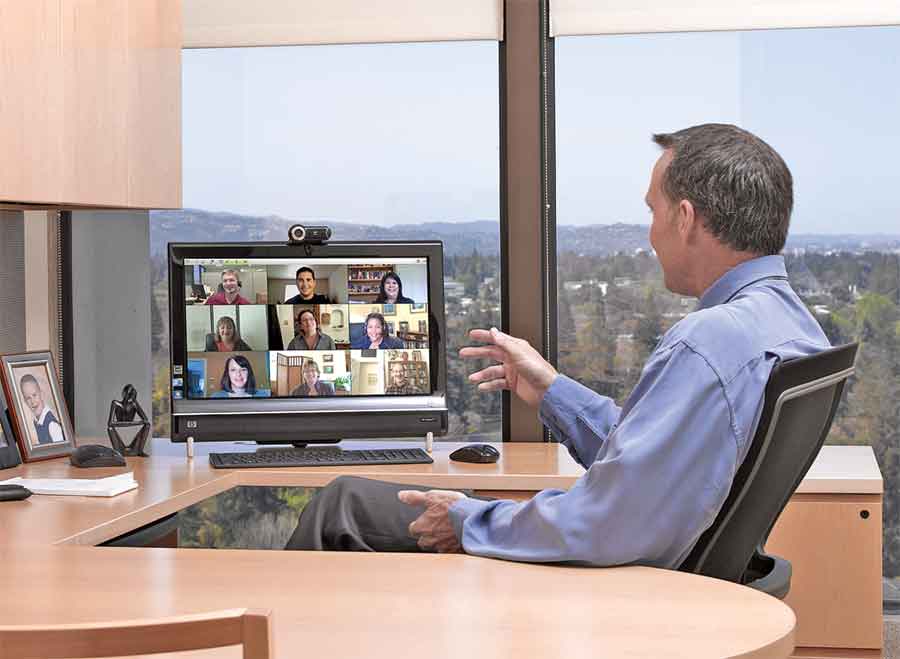
While recruitment may be a major cost and time consuming chore for companies, in apparel manufacturing industries it may not amount to much. However, the training of new recruits and servicing are both key to the industry’s growth. Training sessions for the operators or of the staff can now be extended beyond on-site classroom and into the remote offices, at the same time keeping them as interactive and visual to ensure maximum effectiveness.
Selection of an appropriate video conferencing system does not necessarily rest on how many employees you have or what is your revenue. The influence is because you operate in multiple sites or work with companies placed all around the globe. So the need for collaboration may not be internal, but be part of the overall supply chain. The selection need may also arise on how fast you need approvals for timely delivery of goods. Based on your infrastructure defining your needs, various kinds of video conferencing setups are available.
Technology options
“There are so many isssues that keep arising. The QC might have had a quality issue, or the buyer might wish to give us a directive over the fit; earlier they used to call us or send us an email. In either case, the understanding of what they actually want is very limited. Now with video conferencing, you can actually see where the defect is in the garments or what is the issue that the buyer has with the fit. The interaction is a lot more collaborative, and the buyer or the vendor on the other side, is assured that we are attentive to his need.” – Jayshree, Triburg
There are basically five components to any video conferencing system – the codec; the camera; the video display; the microphone and the audio sub-system; and the control system, which is a user interface for making calls, adjusting volume or brightness and other similar activities. The most crucial amongst them is the codec, also called the “heart and brain” of the video conferencing system, it is a software or hardware that takes the audio and video from the microphone and the camera and then compresses it, transmits it via an IP network, and decompresses (expands) the incoming audio and video signal or viewing on the video display device. A hardware codec is preferred over a software-only codec, as it is generally much faster. A hardware codec is essentially a board that you install in your personal computer, or it comes built-in with some video conferencing products.
Video conferencing can be done via an IP (Internet Protocol) network or through a dedicated ISDN line. ISDN-based video conferencing is better as it provides a guaranteed picture and audio quality at a known price. It is, therefore, mainly suited for group meetings, long-distance interviewing and similar applications where high-quality audio and reasonable-to-good quality picture is necessary. Polycom, Cisco, LifeSize, Vidyo, VU and Vennfer are prominent video conferencing solution providers who are eyeing Indian garment industry for the immense potential it shows for the use of this technology.
PC or Laptop based solutions (Desktop units)
Software-only desktop units
Software-based video conferencing solutions such as Microsoft NetMeeting (Free) or CuSeeMe Networks ‘CuSeeMe Pro (US $ 60) can run on any personal computer. Compression/decompression of audio/video is done by the software, so the higher is the computer configuration, the better it is. One would also need a small video camera, a microphone, and a loudspeaker. However, in a laptop or a notebook, such features are generally in-built. Some of the softwares can also perform data conferencing, i.e. they allow you to share (view or control) applications (running programs) over the network.
This is not the same as web based peer-to-peer software such as Skype or iChat, as these are not standard-based and cannot be used to connect to standard-based hardware video conferencing systems. Standard-based systems are those, which follow the standards determined by ITU (International Telecommunication Union) Telecommunication Standardization Sector (ITU-T) that defines the protocols to provide audio-visual communication sessions on any packet network (All systems discussed in this article are standard based). Secondly, Skype does not perform rate matching which means that if one has a connection of 2 mbps and the person on the other side has the connection of 30 kbps, the speed of the entire communication will drop down to 30 kbps. Other than the aforementioned softwares, Real Presence Desktop from Polycom and Vennfer from Intellisysins are good examples of such systems.
Hardware assisted PC clients
“It is extensively used at Triburg for calls with customers and vendors. We use conventional video conferencing through Skype, as well as we have a HD video conferencing setup from Lifesize.”– Nitin Mohan, Head of IT at Triburg “We are using video conferencing extensively across all our units. Apart from being used in discussions during sampling, or production related meetings, video conferencing is facilitating communication between departments or between two are more units. We have board rooms which have video conferencing support and we are having many of our international meetings through this medium.” – Ranjiv Kapur, President, Orient Craft
Also known as personal desktop video conferencing systems, these setups generally include an expansion card containing video capture and codec hardware, an analog video camera, some software, a microphone, and a headset. A 450 MHz Pentium II or higher configuration PC is typically required to run the system efficiently. Besides being relatively inexpensive in comparison to the other technology alternatives available in the market, they give comparatively good quality in comparison to software-only desktop units, adequate for video conferencing with a group of up to three people in front of the PC.
Hardware-assisted PC clients have a maximum speed of 384 kbps and the price range from US $ 700 to US $ 2000. Leading products in this group include: VCON Escort 25, Zydacron On WAN IP (Z340 codec), Picture Tel Live 550, Picture Tel Live LAN, and VTEL Smart Station.
Integrated USB desktop units
These are the new breed of easy-to-instal and simple-to-use personal video conferencing systems, consisting of a single unit containing the video camera, microphone and codec, which are connected to a desktop PC or notebook computer through USB ports. USB desktop units provide good quality video, 30 frames per second (FPS) at 384 kbps, well suited for a small group of people sitting in front of the camera. Polycom ViaVideo (US $ 400), and the VCON Vigo (US $ 600) are few examples of such systems.
These USB video conferencing systems (appliances) should not be confused with the small, inexpensive video cameras that connect to USB or parallel ports; they are just video cameras and have no built-in hardware codec or H.323 protocol support.
Desktop units can be used by the merchandising managers of an export house or a buyer to correspond with subordinates or interact with various vendors. For companies which have more than one unit, the Managing Director can keep tab on all the units by connecting himself with the factory heads once in a day.
The most notable limitation of such PC based systems is the physical space and the limited camera view of the surrounding environment, which limit the number of users that may participate in front of a single computer. Typically, this approach allows one person to participate in a call when a room-based system is not available or convenient. Generally, no more than three people would be expected to use the above mentioned conferencing system.
PC independent solutions
Stand-alone set top unit
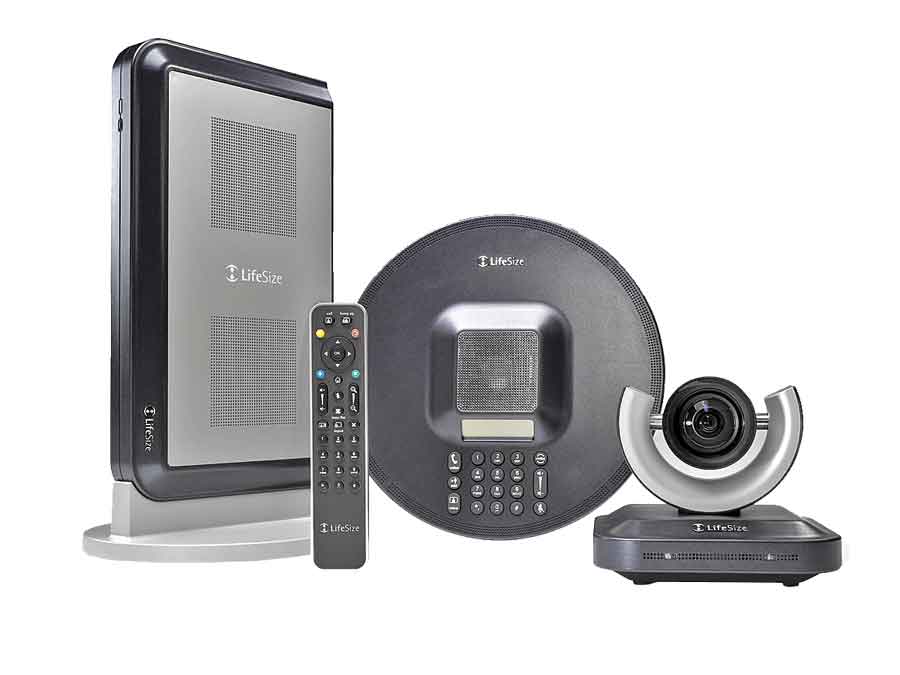
Stand-alone video conferencing systems provide the highest possible quality; they are the ideal solution for classrooms and conference rooms. These units are compact (the size of a set-top cable box), and are extremely easy to use, and require no personal computer hookup. All that is needed is a network connection and an NTSC (TV) monitor. All stand-alone systems include high-quality pan, tilt, and zoom (PTZ) cameras, hardware codecs, and microphones.
The operation of stand-alone units is very straight forward, typically using a simple remote control interface, with scalable video coding which ensures that if one is doing a multiple point video conference, the image of each and every participant can be seen full size, rather than appearing in a small box or as a thumbnail. Such systems are intelligent in themselves, and the frame rate at which the video is recorded increases or decreases as per the motion of the subject. Even the resolution and aspect ratio of the video can adapt in accordance with the bandwidth to provide fluid video and sound quality (these features apply to all the video conferencing systems other than the software-only units). The most common example of such systems can be found on news programs where one moderator is managing a debate between multiple political or social personalities, all connected via video conference from their respective cities.
Such a system is ideal for use in the merchandising department of a company, as apart from acting as an interpersonal asset for the merchandiser, it can easily aid in tasks like proto sample approval or colour swatch approval. Even colour approvals can now easily be made with the excellent picture resolutions of these systems, even the video quality is excellent as it can capture video at up to 60 FPS.
If one plans to use video conferencing in sampling, it is advisable to invest in diffuse directional lighting, as against the usual fluorescent lighting found in most offices, which are usually poorly located and do not have the adequate intensity nor the correct colour temperature. Poorly located lighting can cast unwanted shadows on objects and they might appear blurry on the other end.
Another application which is common in other industries is the use of this kind of system in surveillance. The prime example of this is Sony’s IPELA system, which combines a high resolution Sony Camera and the 360° panomorphic lens, to provide a 360° x 180° view giving huge coverage with a single camera. A wide range of applications, such as real-time monitoring of production lines, inventory monitoring at warehouses, and many other applications are possible, allowing managers to quickly provide direction, even from a remote location. In addition, network cameras allow for unmanned warehouse monitoring during nighttime operations, helping to protect assets.
Stand-alone set top equipment can also be organized in a movable cart that can be rolled from one department to another in the factory. Called appliance video conferencing system, the setup is specially designed for use in make-shift conference rooms or as an aid for maintenance, as it can easily be taken to the shop floor.
Some technology providers, like VU telepresence, also provide such systems for rent on a monthly basis.
Integrated room-based video conferencing system Stand-alone set top units available in the market are fairly competent to be the basic hardware required for the room-based video conferencing, provided the purpose is well defined. However, the most important component of such a conferencing setup is the “room” itself. A stand-alone set top, if used in a large conference hall, will render itself useless if it is not supported by the necessary technologies for display, lightning and audio. This is because the number of participants has considerably increased in this case. The display could be a large 65” LED or LCD display, or projectors can be utilized for the purpose. These systems have a variety of additional input and output ports to connect secondary cameras, document cameras, VCRs, computer video and alternate microphones.
Basic enterprise-level rooms use analog microphone pods, which are optimal for the use of a small group. In intermediate video collaboration systems, there is usually a conference phone – an “array” of digital microphones – which is designed to run on integrated software. This software enhances the system’s audio capabilities. If the video conferencing is applied to larger rooms, there needs to be an independent cancellation system for audio echo, and many microphones are usually connected to the integrated collaboration system to help facilitate large group interaction.
Ambient light affects the quality of the video display as well. Where there are reflections of light sources on the video display screen or lack of contrast caused by elevated ambient light levels, the image quality will be significantly degraded. The best lighting for video conferencing is diffuse fluorescent, such as louvered ceiling lights set to cast their light downward at a 45° angle. The colour temperature of these lights should be 3500° Kelvin. If windows exist, shades should have the ability to completely block outside light.
The heating, ventilation and air conditioning system (HVAC) and other mechanical devices such as heat exchangers and ventilation units should not be in the ceiling above the video conferencing room or surrounding areas. There is a standard for evaluating the errant sound from HVAC, and it is called Noise Criterion or NC rating in the United States. NC rating of 20 or 30 at the maximum is allowed. Walls and doors also have a rating to determine how much sound passes through – the STC rating, or Sound Transmission Class. STC of 55 to 65 is recommended for walls, and doors should be of solid wood with an STC rating of 40 to 55.
Finally, any unwanted ambient sound can be limited by carpeting the floors and through proper use of acoustics. High-end acoustic characteristics are absolutely critical to room design, since average room acoustics will cause intelligibility problems for both local and remote listeners. Absorptive floors, ceilings and furniture are strictly required. Use acoustic ceiling tiles with an NRC rating of 1 or more.
The ideal video conferencing room should be square or rectangular; and if rectangular, the length to width ratio should be less than 2:1. This keeps all participants within range of the camera and microphone(s). In general, a room larger than 12 x 16 feet is not ideal for a video conferencing room. A ceiling height of more than 10 feet is not ideal for video conferencing.
The leading stand-alone/room-based systems in the market are Polycom HDX 7000-1080, LifeSize® Room 220, Cisco Mx200, Vidyo Room HD-220.